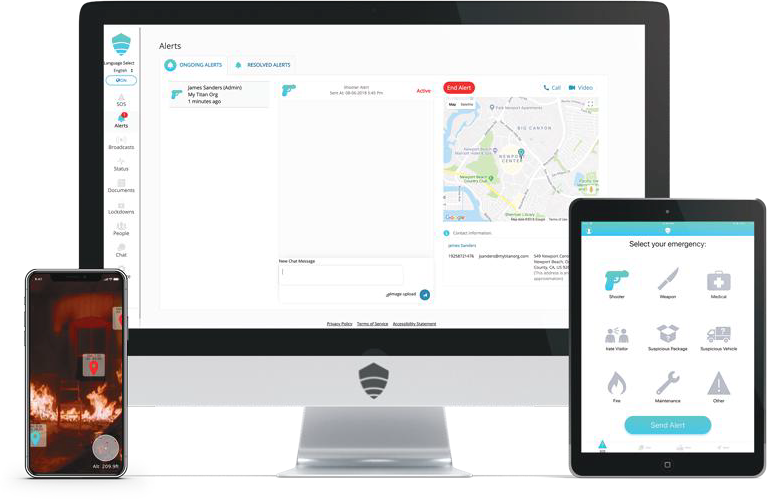
Explore how Titan HST can connect your existing tools with incident reporting, communication, and coordinated response.
MGR helps identify where compatible connections could reduce duplicate work, improve location context, and reach the right people faster.
EXISTING SYSTEMS
User provisioning, roles, single sign-on, and compatible access-control workflows.
Compatible sensors, cameras, alerts, and location context for your response.
HR, student information, and other operational platforms your teams already use.
COMMUNICATION LAYER
Reporting, messaging, and coordinated response.
Bring incident context and conversations together for authorized people to assess, communicate, and act.
Compatibility, scope, and implementation requirements are confirmed with Titan HST for each project.
These vendors appear in Titan HST’s supplied integrations flyer. Download the list or talk to MGR about the platforms you use.
Staff can raise concerns in the field while authorized administrators review incident details, location context, and team communication.
Bring incident and location information into the response conversation.
Connect people using desktop, tablet, and mobile interfaces.
Start with the systems and response scenario that matter to your organization, then define the right integration discussion.
List the platforms, locations, and audiences involved in your response process.
Focus on a reporting or response scenario that needs better coordination.
Review compatibility, permissions, and implementation needs with Titan HST.
Tell MGR which platforms your teams already use and the workflow you want to improve.